Features
What PgCraft’s free edition does: connections, query tabs, editing, NL→SQL, ER diagrams, EXPLAIN, and more.
PgCraft’s free edition is the full daily driver — no account, no usage caps, no limits on connections, tabs, queries, or rows. Here’s what ships in the public beta. For the short version, see the landing page highlights.
Connections
- Multiple connections — work across several PostgreSQL servers at once, and switch with the sidebar or the command palette.
- Connection groups & colors — organize connections into folders with colour accents.
- SSH tunneling — connect through a bastion using a password or private key.
- SSL/TLS client certificates — full certificate auth (
verify-ca/verify-full). - Read-only safe-mode — flag a connection to block accidental writes on production.
- OS keyring storage — credentials are kept in your system keyring, never in plain text.
Querying
- Query tabs — run many queries side by side, each in its own tab.
- Schema-aware autocomplete — completions for your tables, columns, and functions.
- SQL formatter — tidy up the current statement in one keystroke.
- Query cancellation — stop a long-running query without losing your session.
- Query history — every statement you run, persisted and searchable.
- Saved queries & snippets — keep frequently-used SQL a search away.
SELECT id, email, created_at
FROM users
WHERE created_at > now() - interval '7 days'
ORDER BY created_at DESC;
Results & editing
- Fast results grid — virtual scrolling renders large result sets smoothly, with sorting.
- Inline editing — edit cells directly in the grid.
- Insert & delete rows — change data from the grid, staged before you commit.
- Transaction-safe apply — review the exact DML as a diff and commit (or roll back) safely.
- JSON/JSONB & array editors — dedicated editors for complex column types.
- Import & export — CSV import, plus CSV and JSON export of your results.
Explore & understand
- Schema browser — a tree of databases, schemas, tables, views, functions, and sequences.
- DDL viewer — read the
CREATE …definition for any object. - Global object search — jump to any table, view, function, or column instantly.
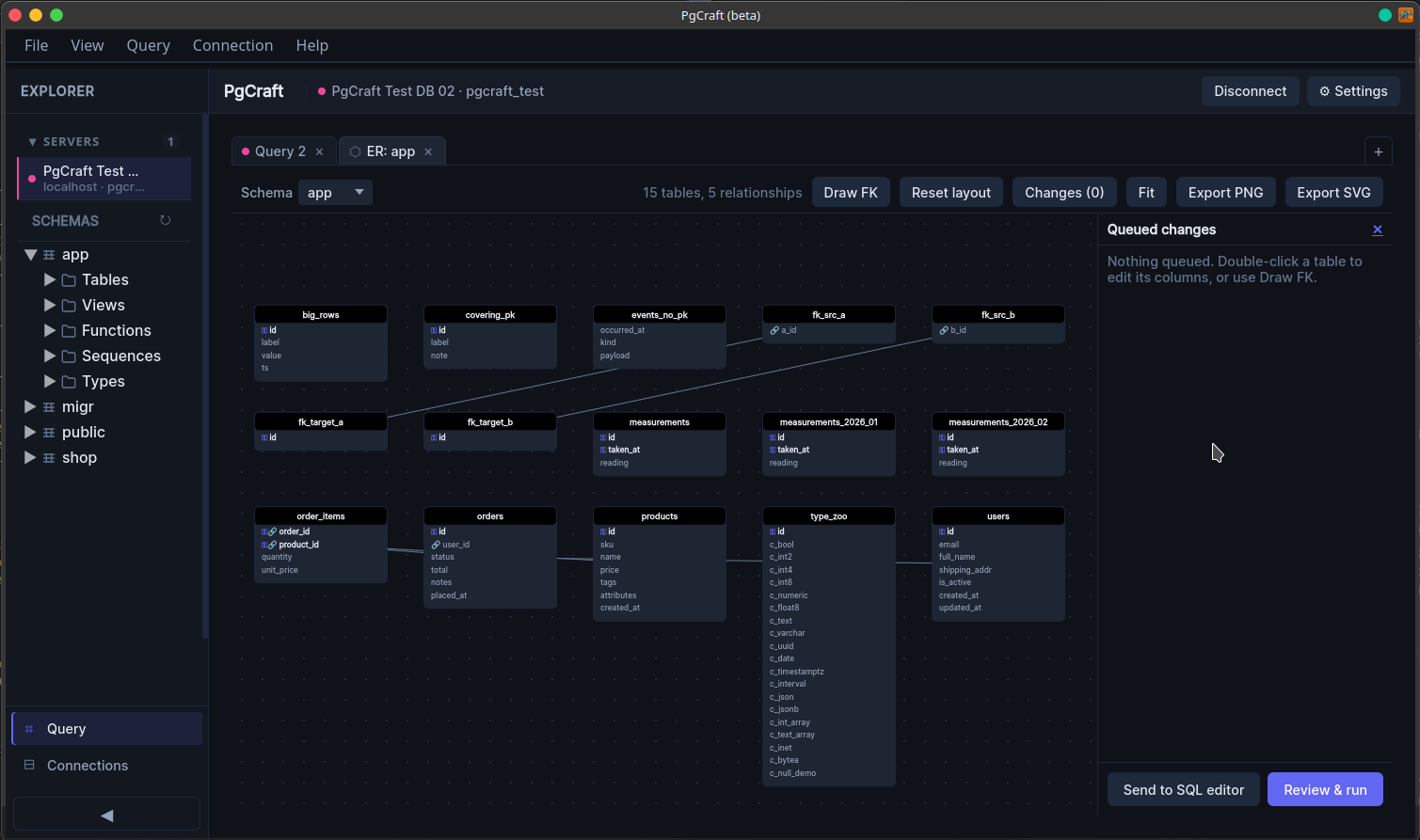
- Entity-relationship diagrams — read-only ER diagrams with primary/foreign-key markers, pan/zoom, and PNG/SVG export.
- EXPLAIN viewer — run
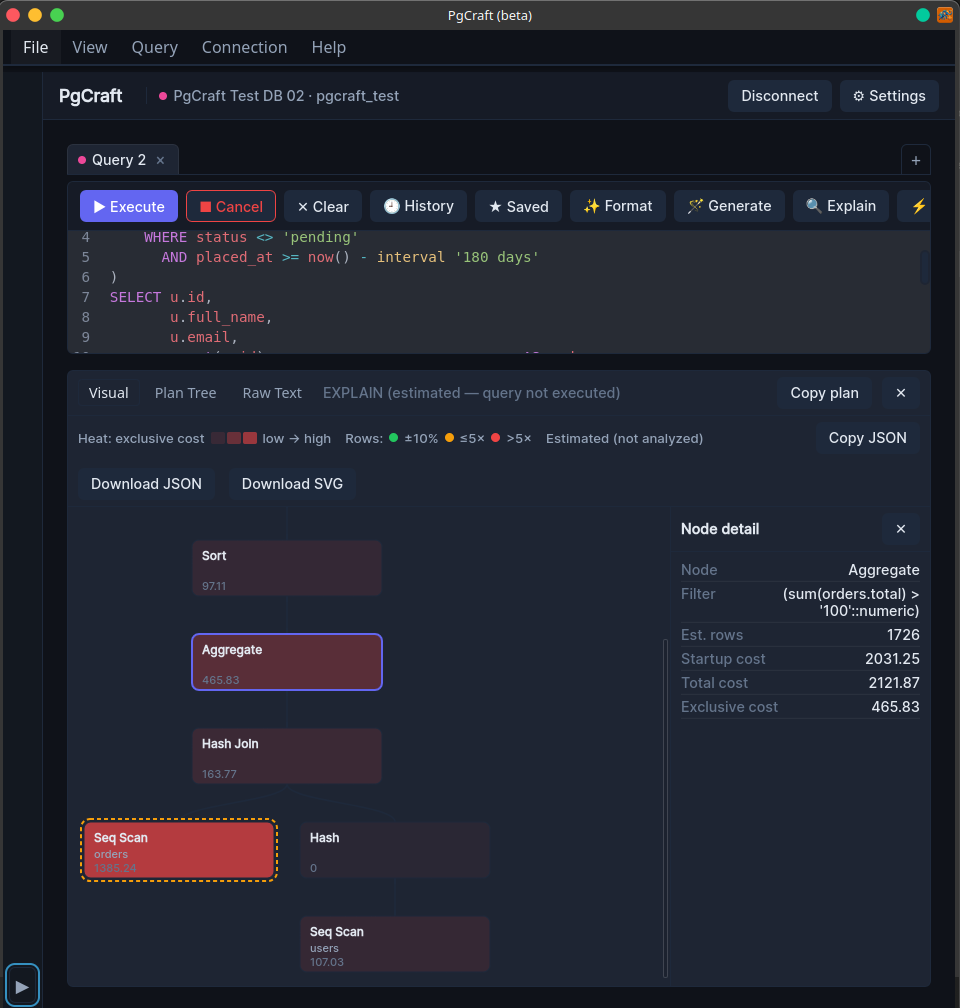
EXPLAIN/EXPLAIN ANALYZEand read the plan as raw text or a collapsible plan tree (node type, relation, rows, cost).
- Natural-language → SQL — generate a query from a plain-English prompt using your own AI API key (OpenAI / OpenAI-compatible / OpenRouter). The result is inserted for you to review before running — it’s never executed automatically, and your key stays on your machine.
Around the app
- Command palette — one searchable place for every action.
- Keyboard shortcuts — platform-aware, no conflicts with the editor. See the full shortcuts reference.
- Light & dark themes — follow the system theme or pick one.
- Fullscreen mode — maximise the workspace when you need to focus.
Pro is coming at 1.0. The free edition stays the full daily driver. A one-time Pro upgrade later adds the advanced versions of some of the above — a visual cost-hotspot EXPLAIN viewer, interactive ER editing with migration export, schema diff, an agentic AI copilot, and more. Nothing here is paywalled today.